Use the values on your label
Enter a reference amount and its nutrition from a package label or a source you trust. Leave a nutrient blank when you don't know it. The app marks that result incomplete.
Your recipes, saved for next time
Enter your label values once. Save recipes, work out nutrition for weighed portions, and build a prep list for the batches you need.
See a worked portion example →Enter the weight of the finished recipe and choose a portion in grams or ounces. The app works out its share of the recipe's nutrition.
The fictional example, open in the app.
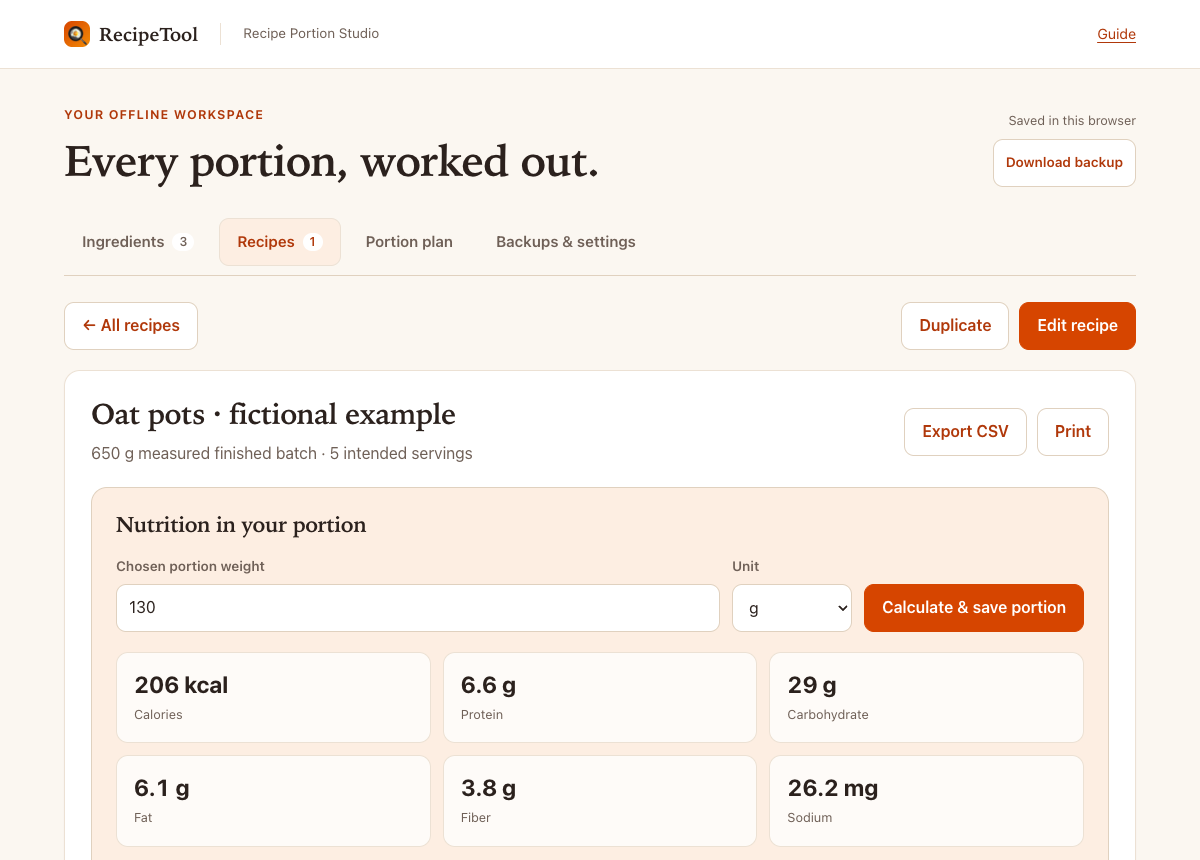
This 130 g portion has an estimated 206 kcal using the fictional ingredient values.
The ingredient values are made up to show the method. The estimate assumes all entered nutrients remain in the finished batch.
Read the inputs and calculation →
Start with a blank workspace or explore the fictional example. Your ingredient library carries through to every recipe that uses it.
Enter a reference amount and its nutrition from a package label or a source you trust. Leave a nutrient blank when you don't know it. The app marks that result incomplete.
Add ingredient quantities, a serving count if useful, and a measured finished weight. Update a shared ingredient once and the recipes that use it recalculate.
Set portion weights and counts across saved recipes. See planned nutrition, whole batches to make, and an ingredient prep list, with extra batch yield shown separately.
Export a complete backup and import it when you move to another device. Use CSV reports and print views for recipe nutrition and your prep plan.
You'll need ingredient quantities, nutrition reference values, and the measured weight of a finished batch. There isn't a food database or a live nutrition lookup inside this app.
Keep the units compatible with your source. The app converts grams to ounces, for example, but doesn't guess how many grams are in a cup.
Browser storage is a convenience, not a backup. Export a backup after important changes and keep it somewhere you trust.
The free recipe nutrition calculator remains free. Recipe Portion Studio adds your own saved ingredient library and recipes, measured batch weights, chosen portions, a multi-recipe prep plan, and editable backups. It uses the reference values you enter.
Yes, if it is weighed. When every ingredient is in g, kg, oz, or lb, the free calculator can download your recipe as a Studio file. In Studio, choose Start blank, then open Backups & settings and choose Import backup.
Import replaces the current workspace after you confirm. If you already have work in Studio, export a backup first. The imported values are generic estimates, so check them against your labels. Add a measured finished weight to get nutrition for weighed portions.
After payment you get a private Studio link. Open it in a current browser on your phone, tablet or computer, and bookmark it. Recipes are saved in that browser on that device. To move them, export a backup and import it on the other device.
For offline use on a desktop or laptop, download the ZIP, unzip it, and open START-HERE.html. Keep the folder's files together. You need an internet connection for checkout, the download and the browser version.
There's no product account or recurring charge. Your recipes stay in the browser workspace on your device unless you export or share them yourself. They don't sync between devices. Read the privacy notice.
The method assumes all entered ingredient nutrients remain in the finished batch. It doesn't account for discarded cooking liquid, drained fat, uneaten bones, or nutrient changes during cooking. Use reference values that match your ingredients' preparation state. Results are arithmetic estimates, not lab measurements or medical advice.
Email [email protected] for download or product help. If it isn't a fit, request a refund within 14 days of purchase using your checkout email or receipt. Read the purchase terms.
Build a library you can return to, with your own ingredients and the weights you measure.
Questions about the download? [email protected]
$19 USD · One payment
Checking payment availability.